
The tools
Everything the team uses.
Connected, and yours to change.
Each tool knows the others, the AI reaches all of them, and any of them can be improved by a customization shared with your team.
Tasks
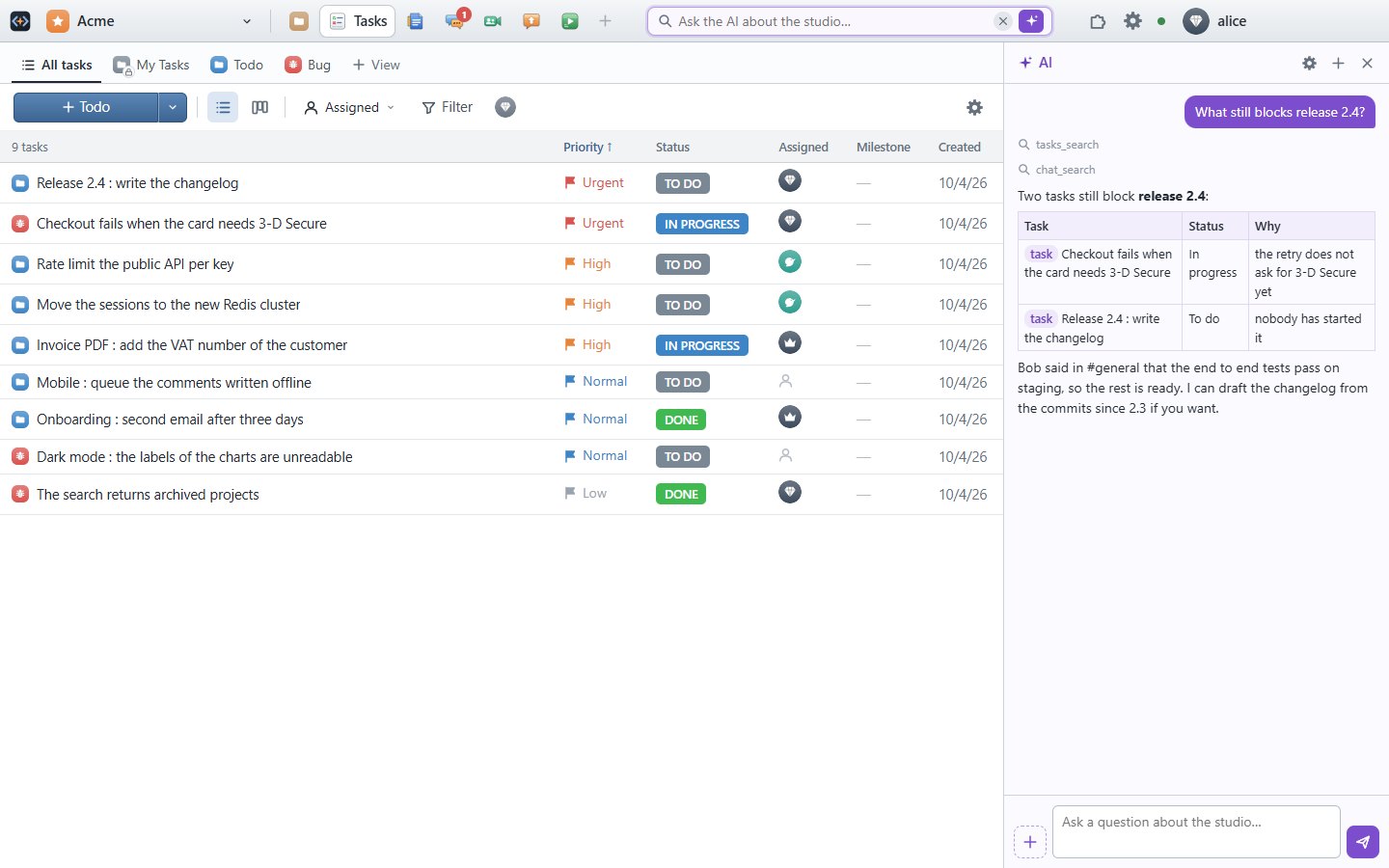
Plan, track, and hand work to the AI
Tasks and bugs with everything a team needs, as a list or a board, each with its discussion.
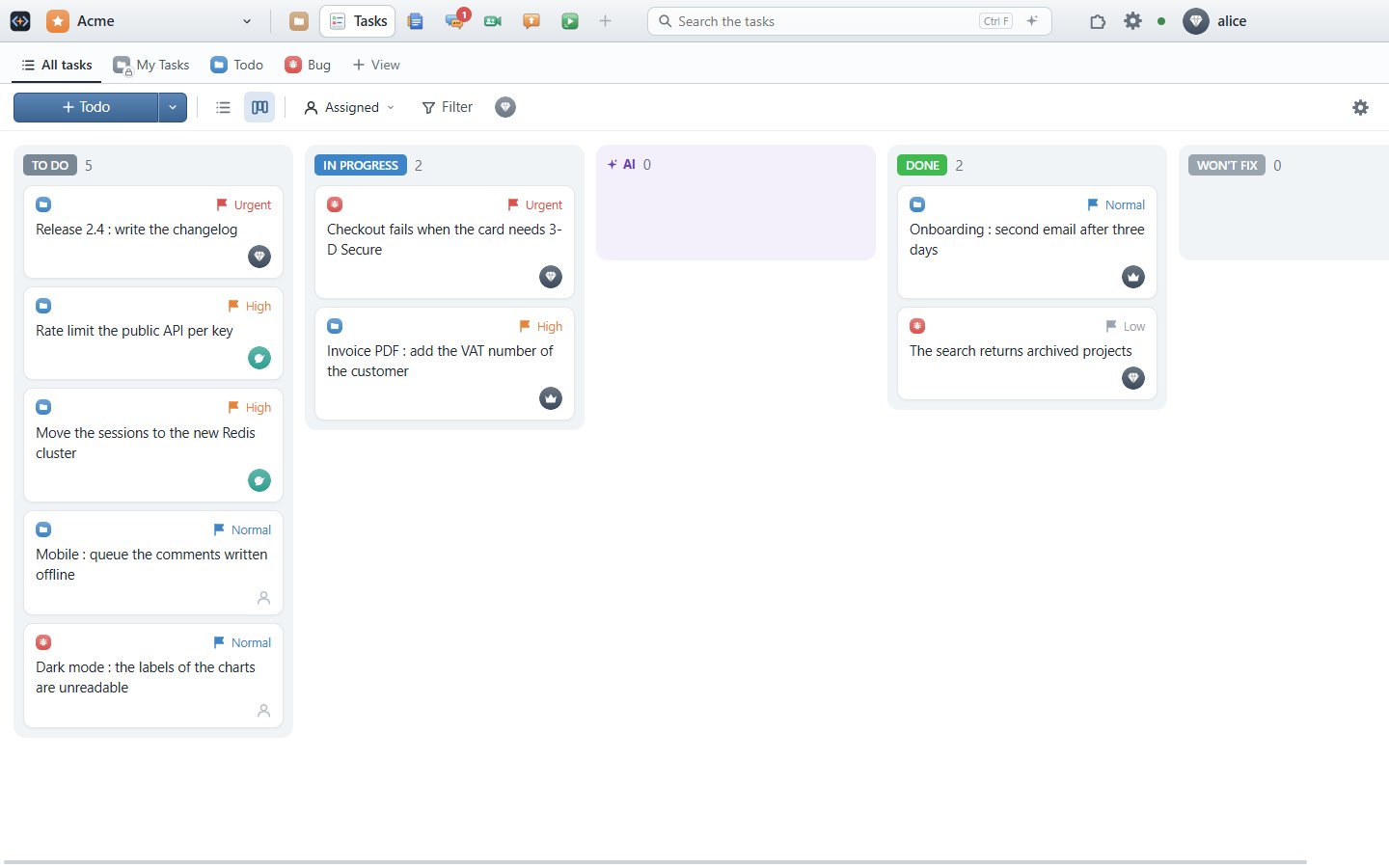
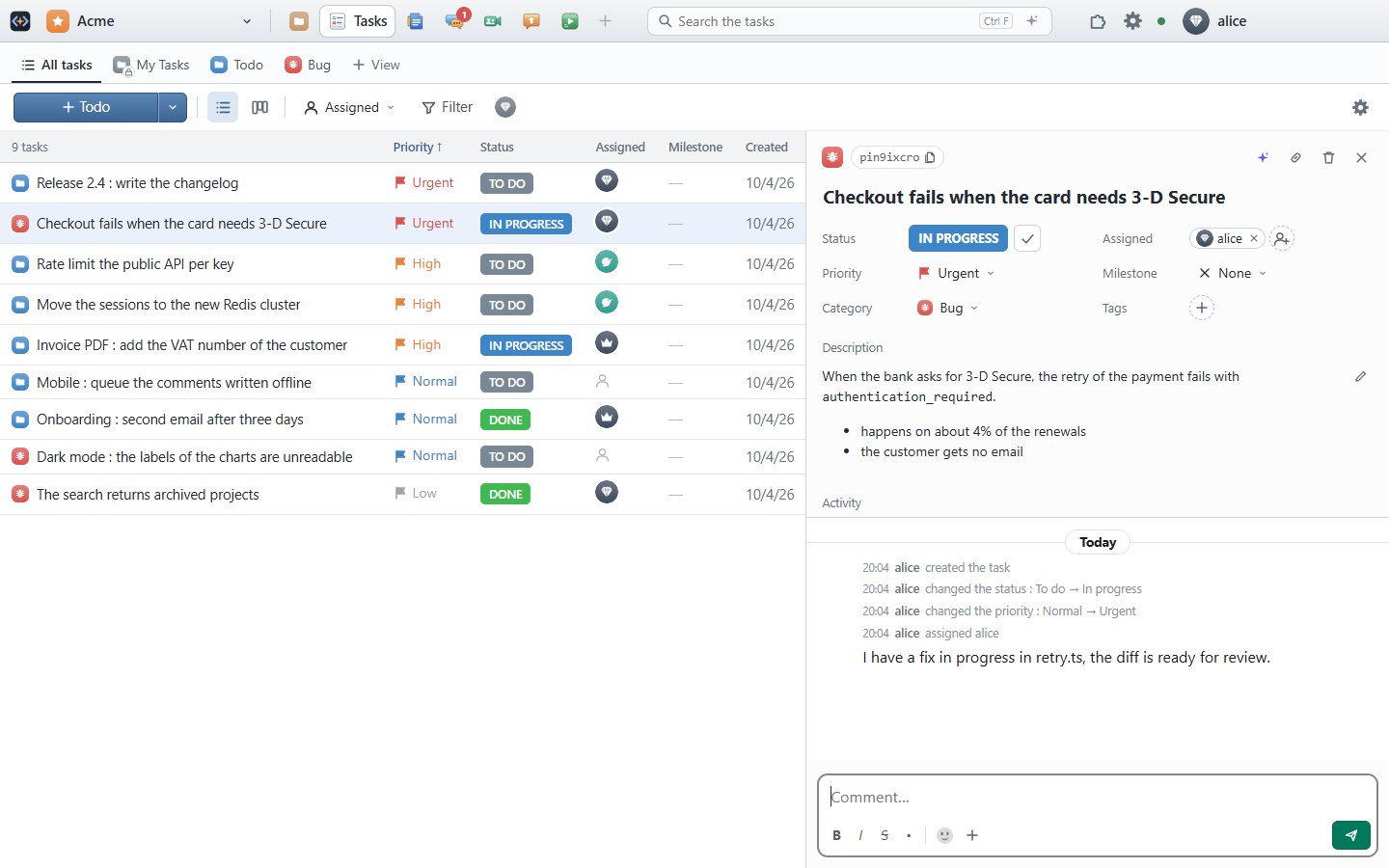
- Categories, statuses, prioritiesYour own categories with their tags, statuses in open and closed groups, four priorities, milestones and several assignees.
- Lists and boardsA sortable list, or columns by status where cards are dragged and finely reordered.
- Views and filtersConditions combined with and / or, in groups; saved as views for the team, kept per person.
- A discussion per taskThe description, comments with files, and the change log in grey, in the same thread.
- Private tasksMy Tasks: only you see them, and the AI workers while they run one.
- Send it to the AIA queued task is taken by a worker, who answers, asks a question if it must, and gives back its diff.
Docs & sheets
Write together, compute together
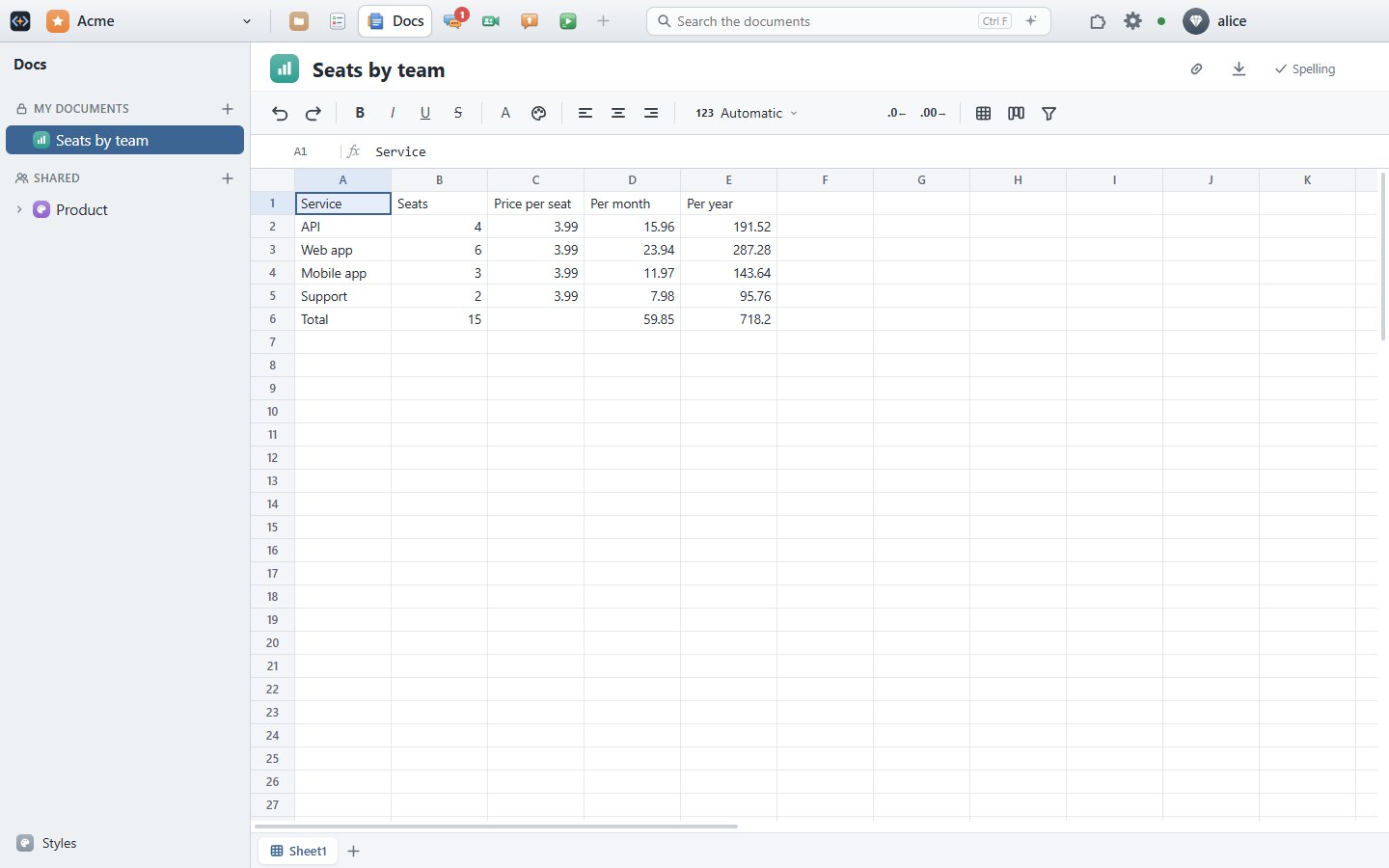
Documents and spreadsheets edited in real time, with styles, comments and versions.
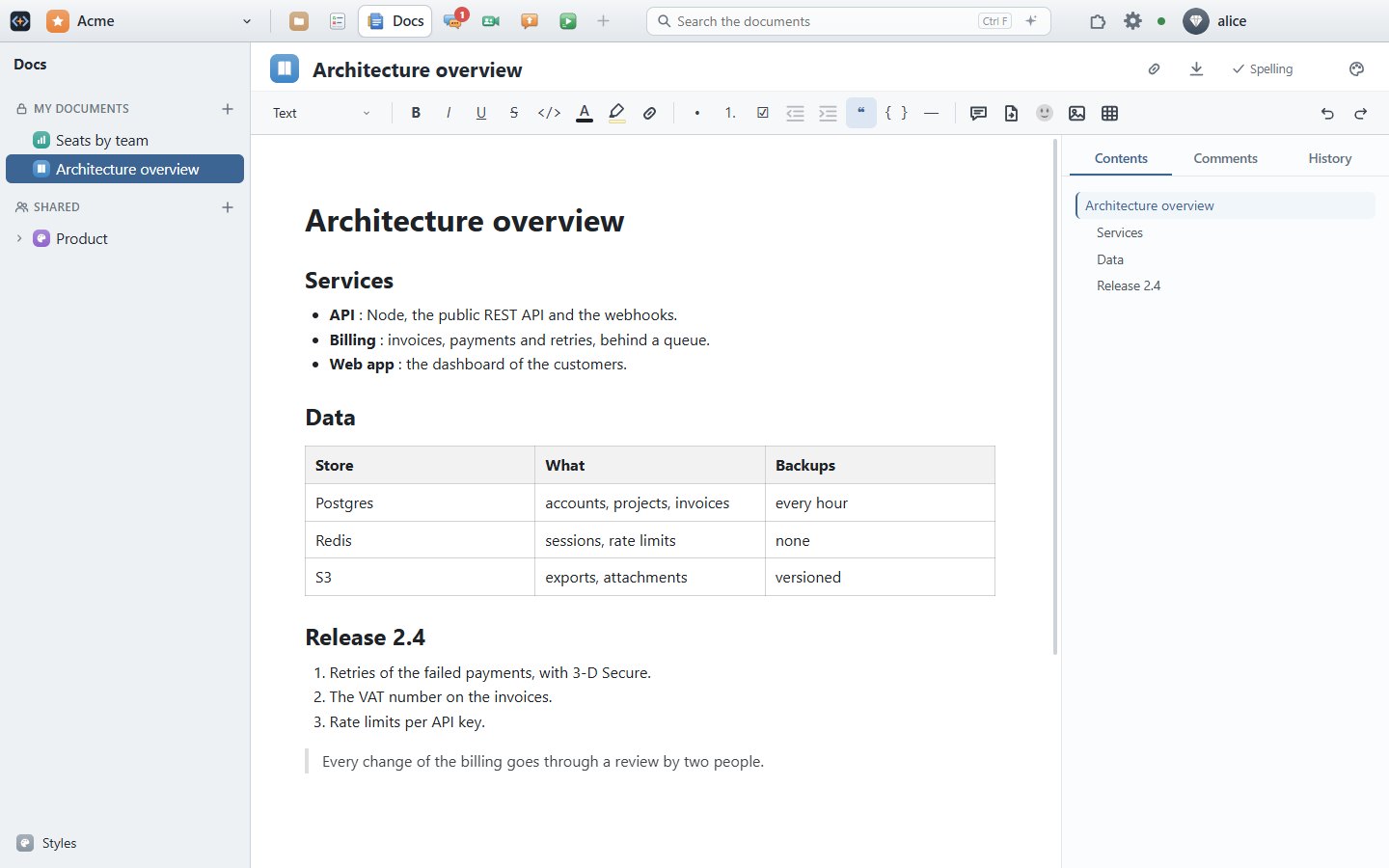
- Real timeEveryone sees the named cursors of the others, and who has the document open.
- Rich documentsHeadings, lists, tables with merged cells, code, colors, images, videos, links between documents and to a section.
- Named stylesFonts, sizes and colors come from a style shared by the team, so every document looks the same.
- Comments and historyComments on a selection with their discussion; one version per person and period, compared, restored.
- SpreadsheetsFormulas with Excel functions, several sheets, filters, frozen rows, charts and dashboards.
- Live dataA sheet queries your MongoDB databases in real time, for its charts; the results stay in memory only.
- ExportA document to PDF, with its style.
- Made by the AIAsk for a report or a table: the AI writes it in My documents and opens it.
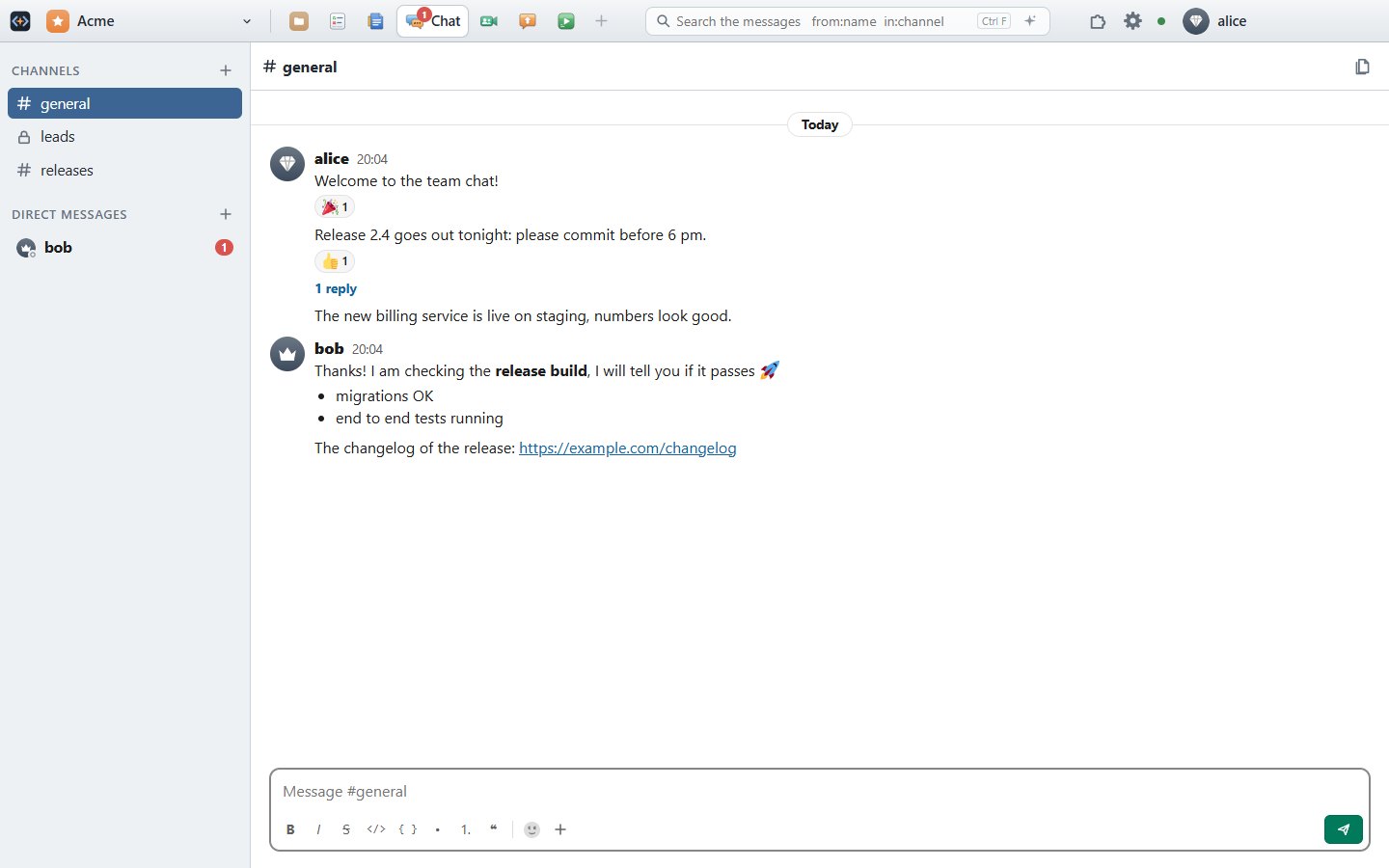
Chat
The conversations of the team
- Channels and direct messagesPublic and private channels, conversations between two or more, presence, unread counts.
- Threads and reactionsReplies in a side panel, emoji reactions, edits and deletions.
- Files and previewsImages, videos played in the message, text files and diffs previewed, link previews.
- SearchWords, from:name and in:channel; the AI finds what was decided and links to the message.
Files & Git
Your repositories, right in the studio
Git and SVN checkouts of the project, their files opened in their viewers, and the commit with the diff of each file.
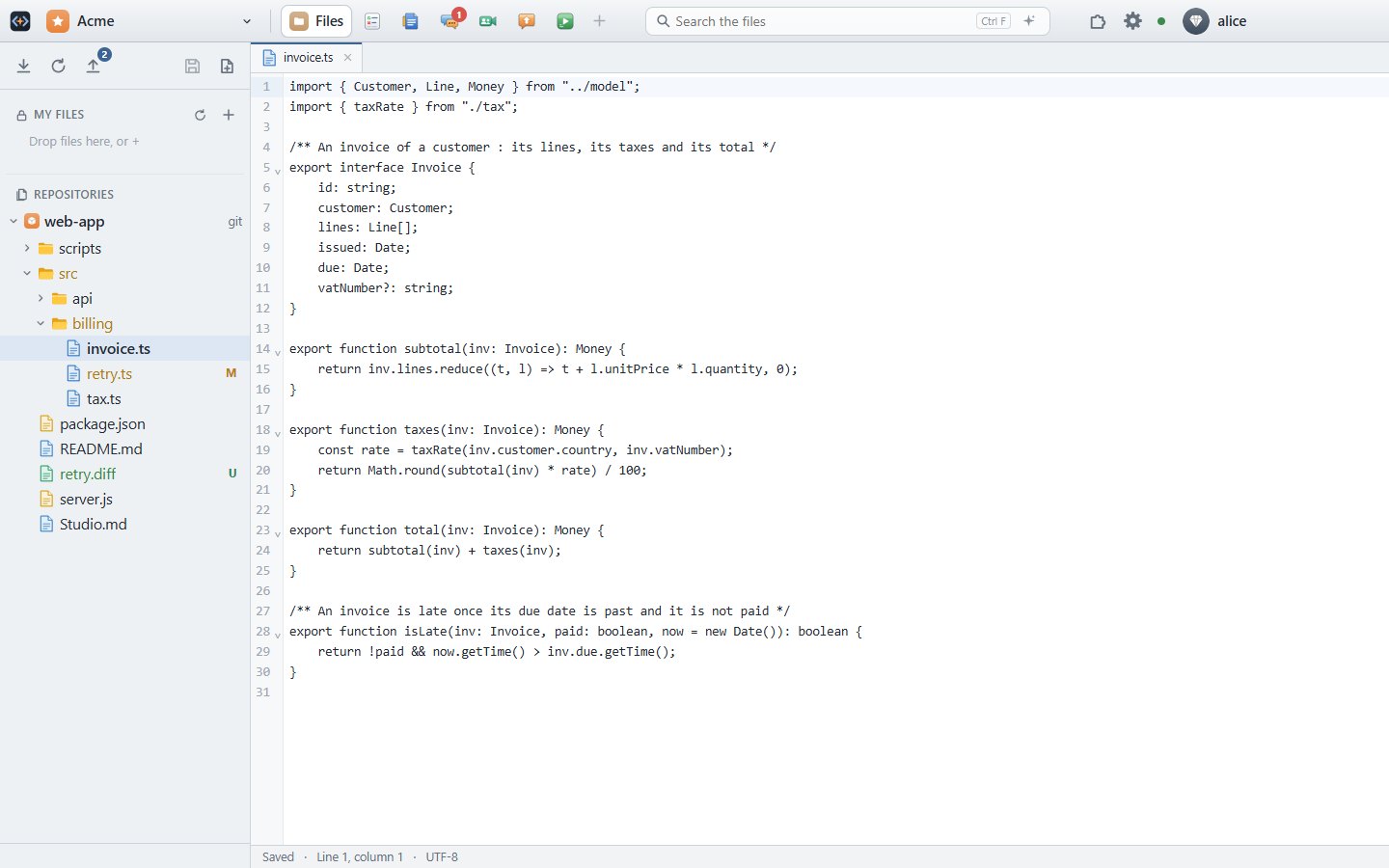
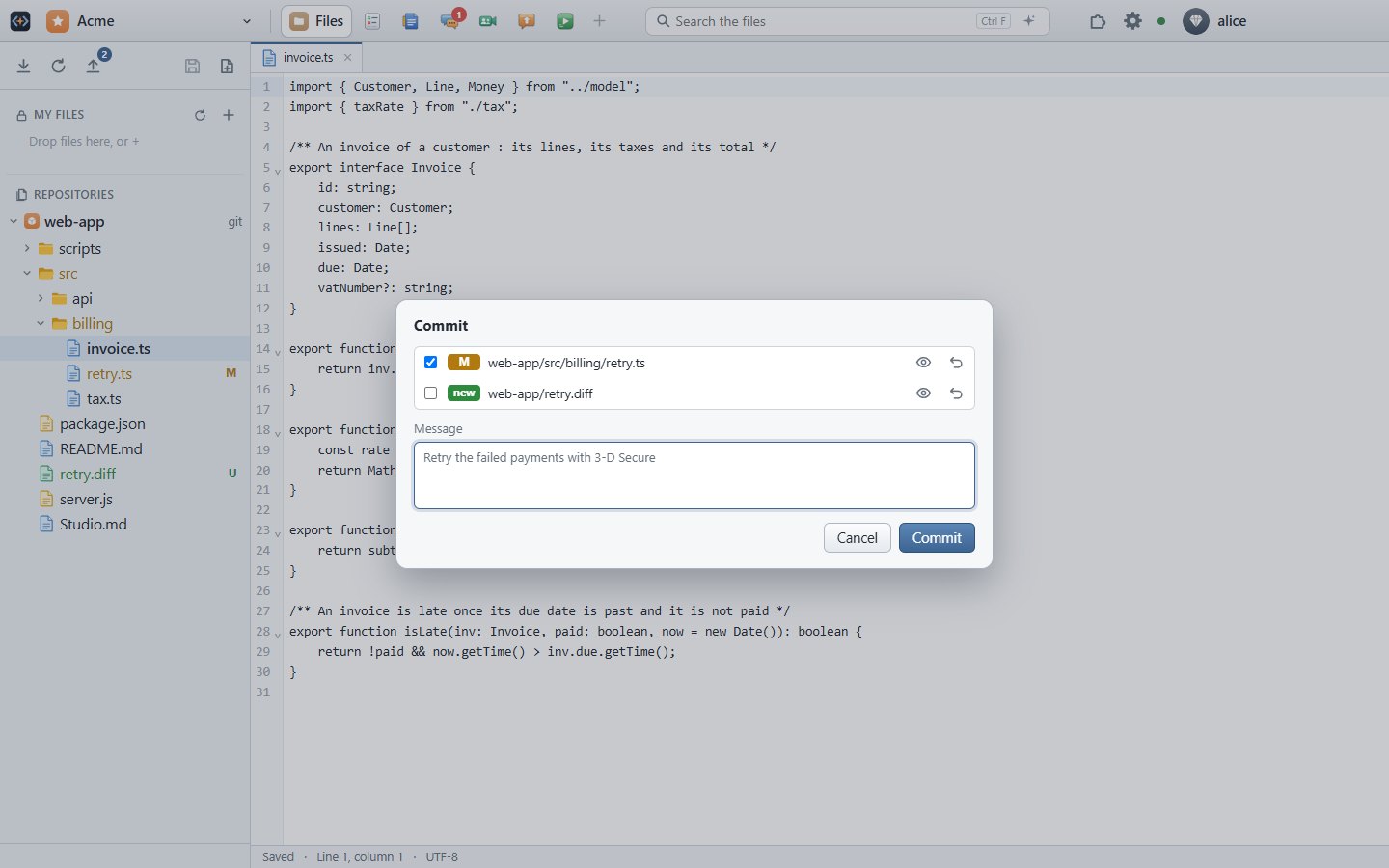
- Checkout, update, commitAn existing working copy is found and used as is; in Git, the commit is pushed.
- Status at a glanceModified, new, deleted and conflicting files in the tree, and the number of changes on Commit.
- Rename and moveWith the history kept (git mv, svn move), and the references in other files updated.
- ViewersCode with syntax errors flagged, images (and their editor), sounds with their waveform, diffs.
- My FilesYour own online drive, mirrored both ways with a folder of your computer.
- In the browser tooThe server checks out the repository for you; you commit as its author.
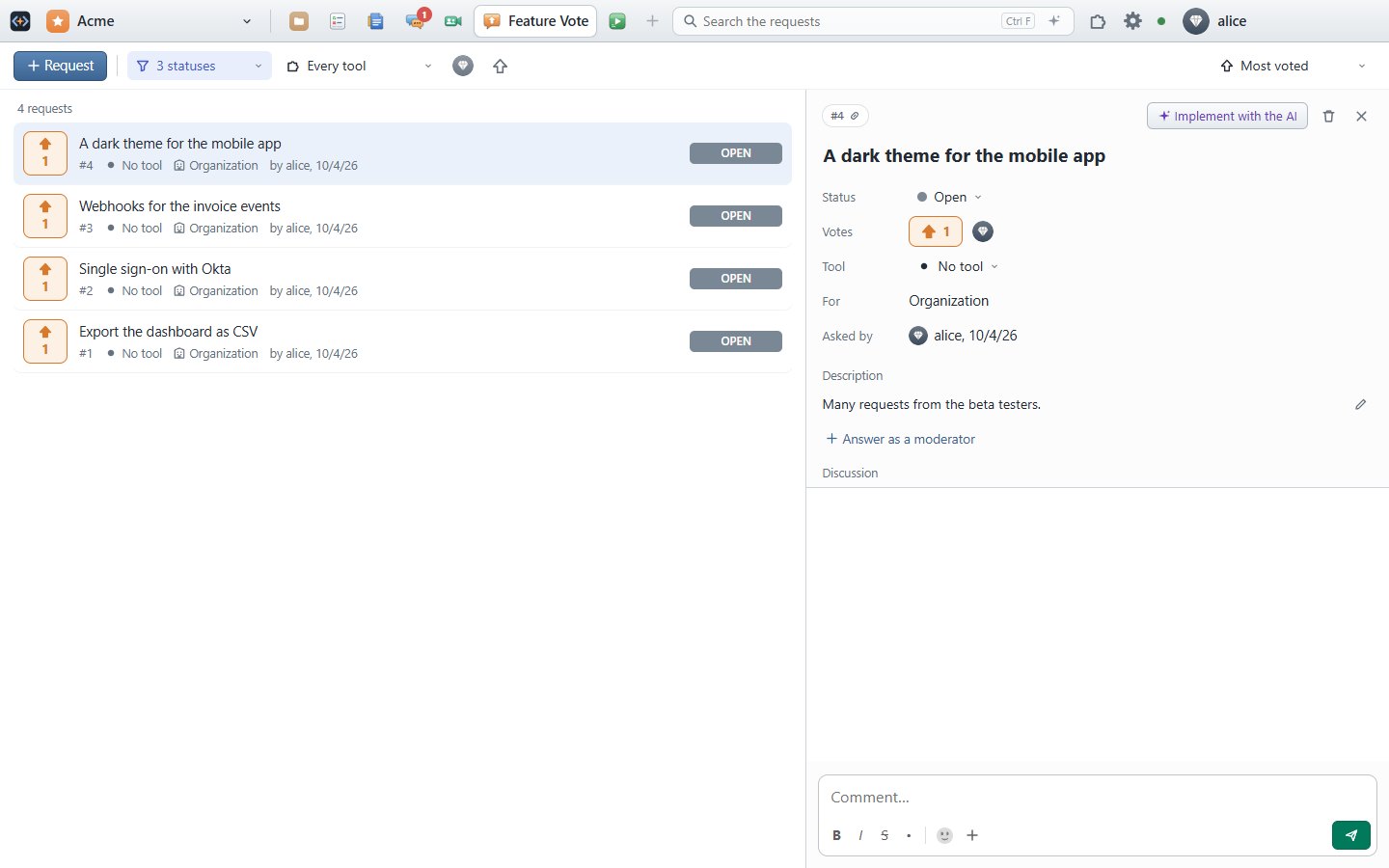
Feature Vote
From a request to its implementation
- Ask and voteSimilar requests are shown while you type, to vote rather than ask again.
- ModerateStatuses, an answer to everyone, filters and sorts.
- Implement with the AIA request becomes a task for the AI workers, with its discussion.
Your AI
In every tool, under your control
- Your own AIYour Claude subscription or your API key, the providers and models your admins allow; it runs on your computers and workers.
- It sees what you seeThe tool, the file, the selection, the cursor, the search.
- It searches everythingChat, docs, tasks, files, diffs, the output of Run, with the rights of who asked only.
- It proposes, you decideChanges reviewed before and after, applied as one undo.
- Counted for the adminsTokens and cost per person and per use; the content stays private.
Administration
Everything under control
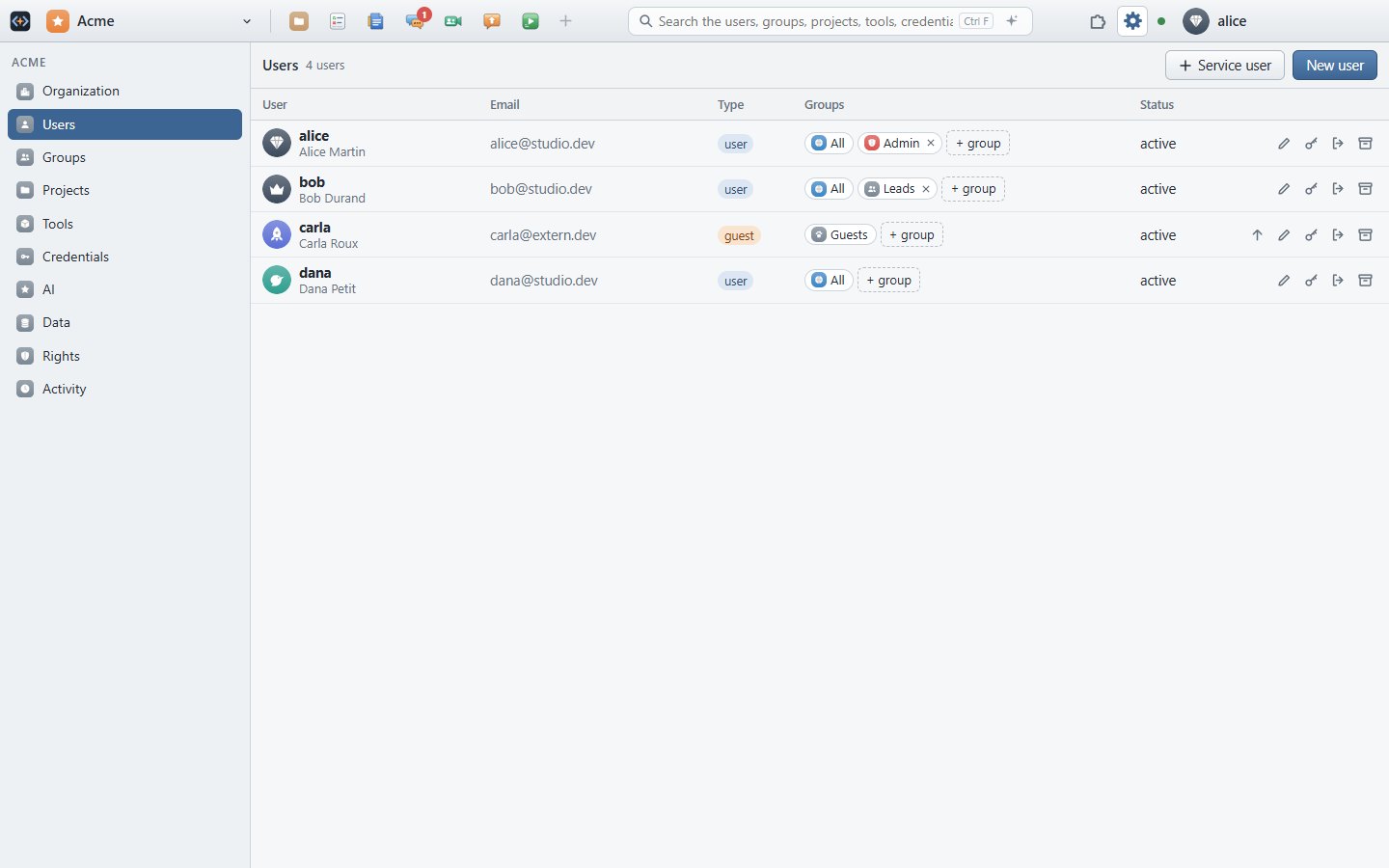
- People and rightsUsers, guests, service users, groups, projects, rights and access down to a folder.
- Tools and the storeInstall a tool for everyone or for a team, a second instance for another team.
- DataThe space used and what holds it, backups, a trash of 30 days.
- ActivityEvery change, as a sentence, by person.
More tools
Smaller, in the same window
Diff
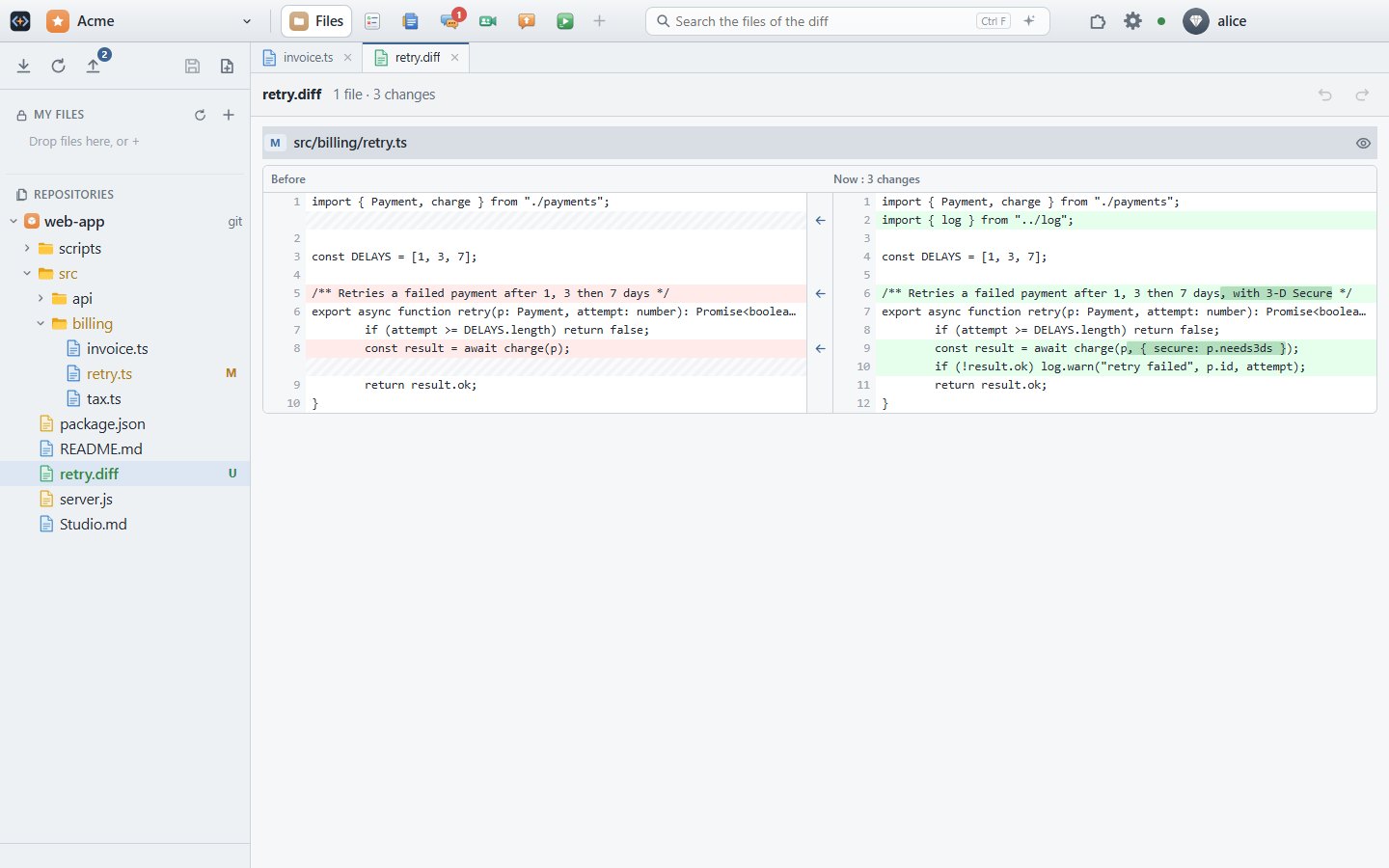
Changes side by side, a block put back in one click.
Run
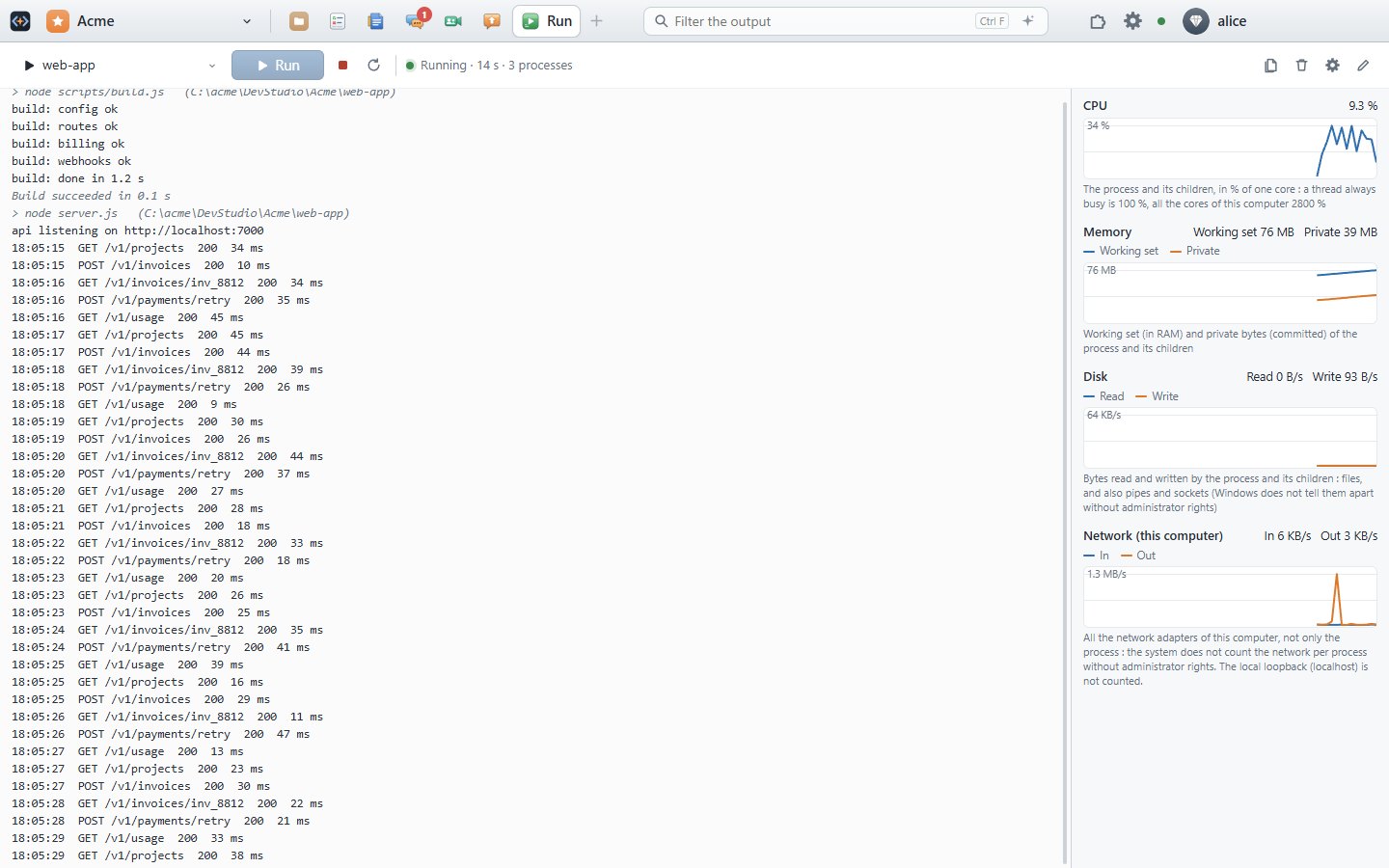
F5 builds and runs your application, with its output and its stats; the AI proposes the fix of a crash.
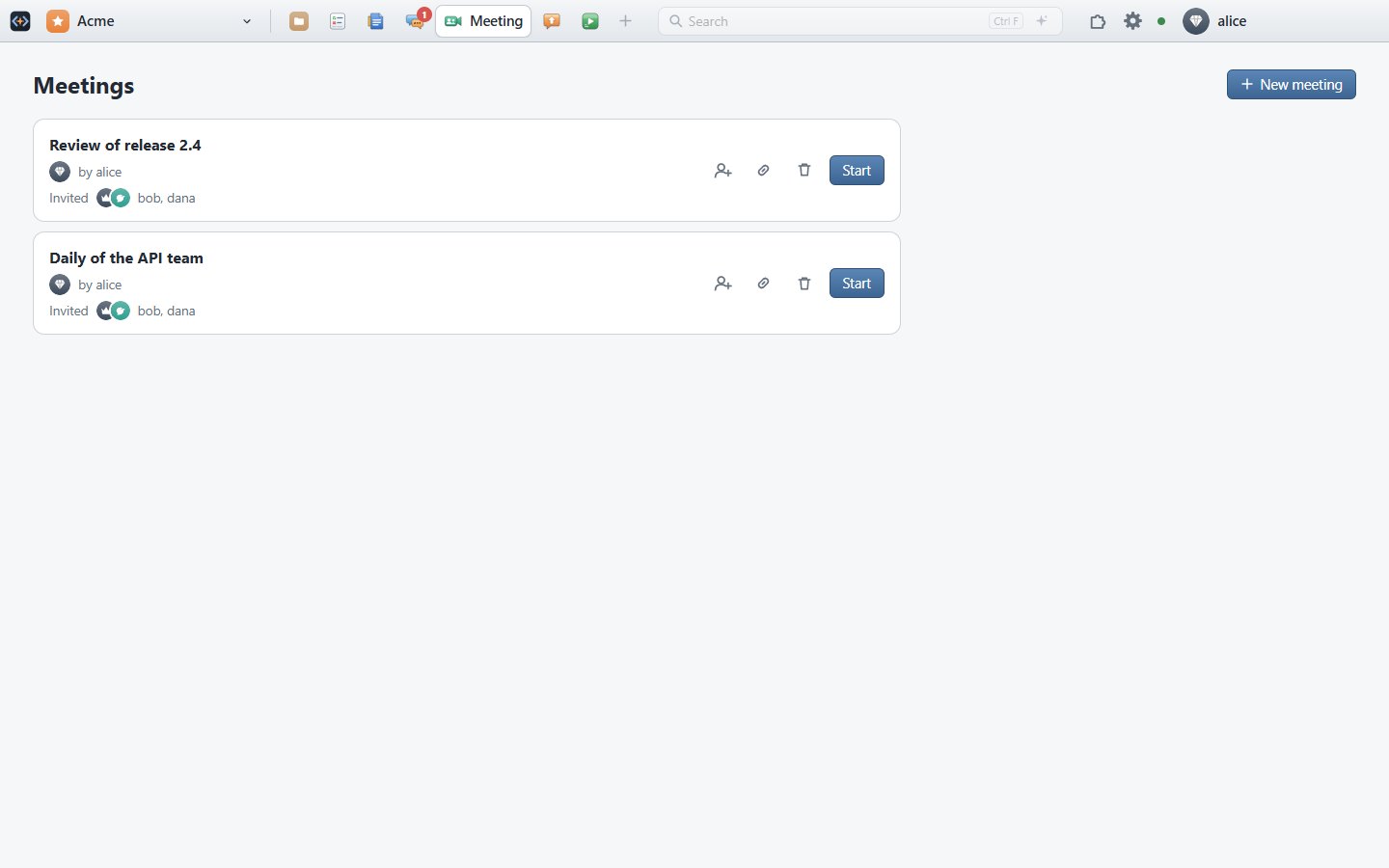
Meeting
Video and screen sharing; the meeting chat is kept in Chat.
And the viewers of Files: code, images with their editor, sounds with their waveform.
Try every tool, free
Free forever for 2 users. Then $3.99 per user per month, billed yearly.
Create your free account